For your CA signed certificates to be trusted, you need to trust your Root certificate or CA if you don't use a Root certificate.
Download the Root 230RO.cer file
Windows
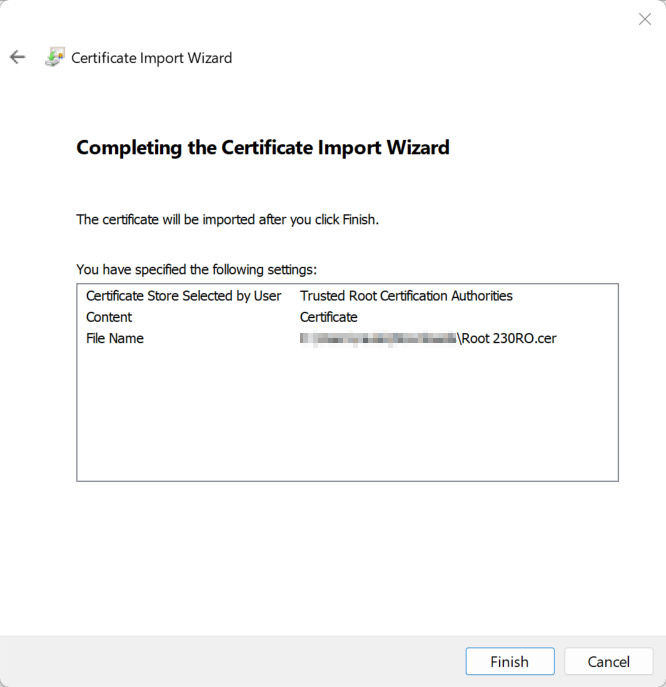
Start > certmgr
Right click on Trusted Root Certification Authorities > All Tasks > Import...
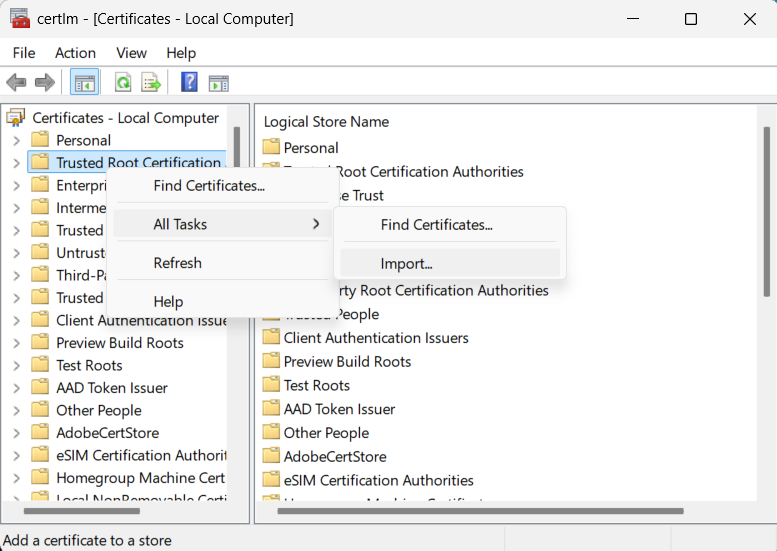
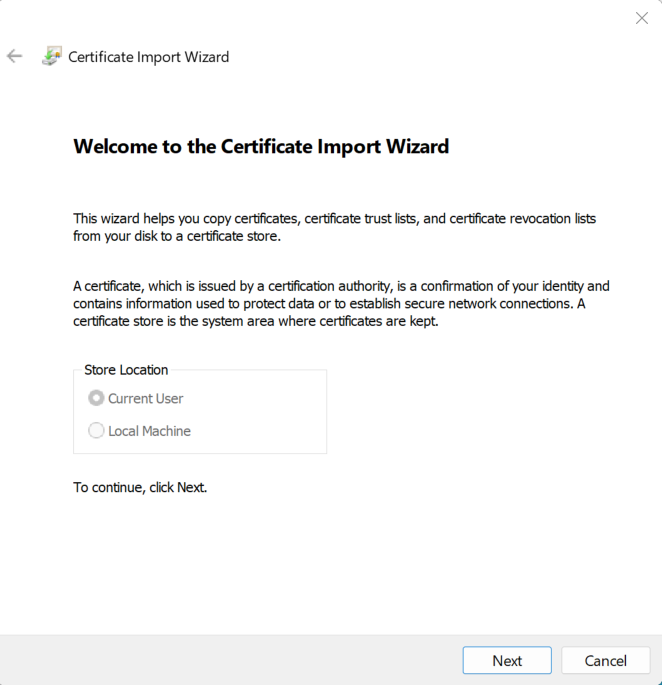
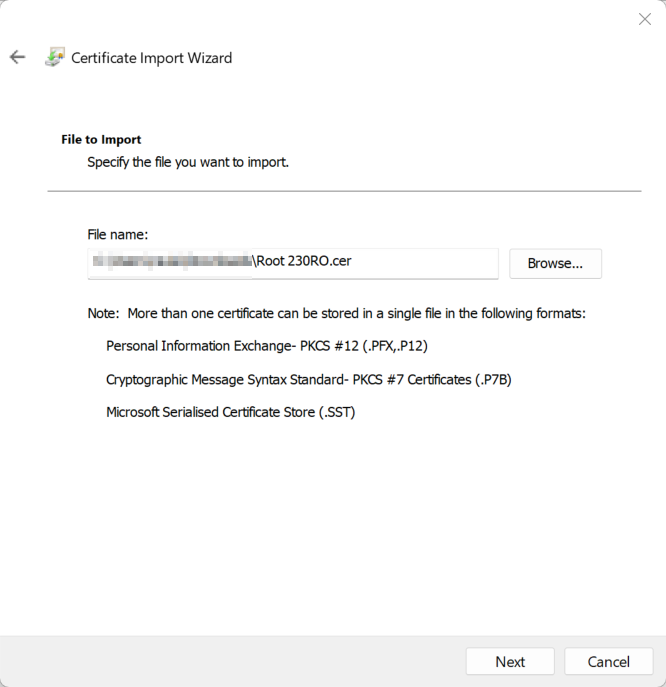 Browse and select Trusted Root Certification Authorities
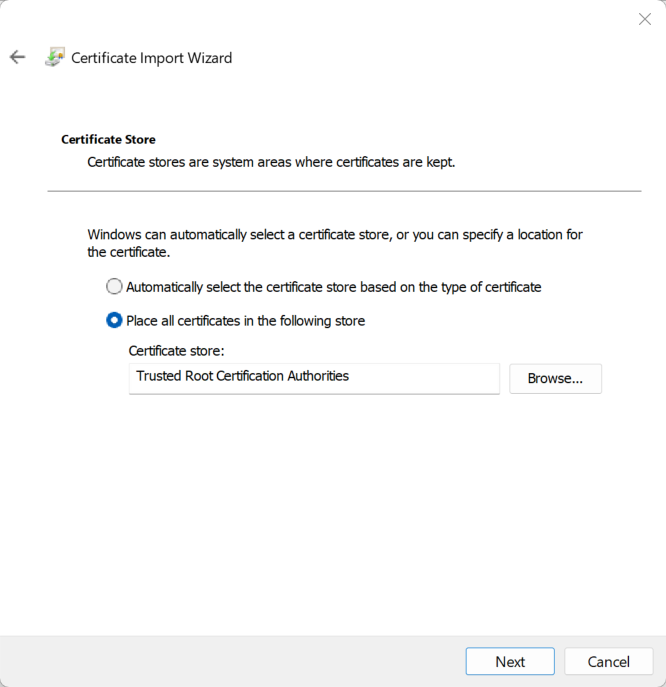
Chrome / Edge
They use the Windows SSL store
Firefox / Thunderbird
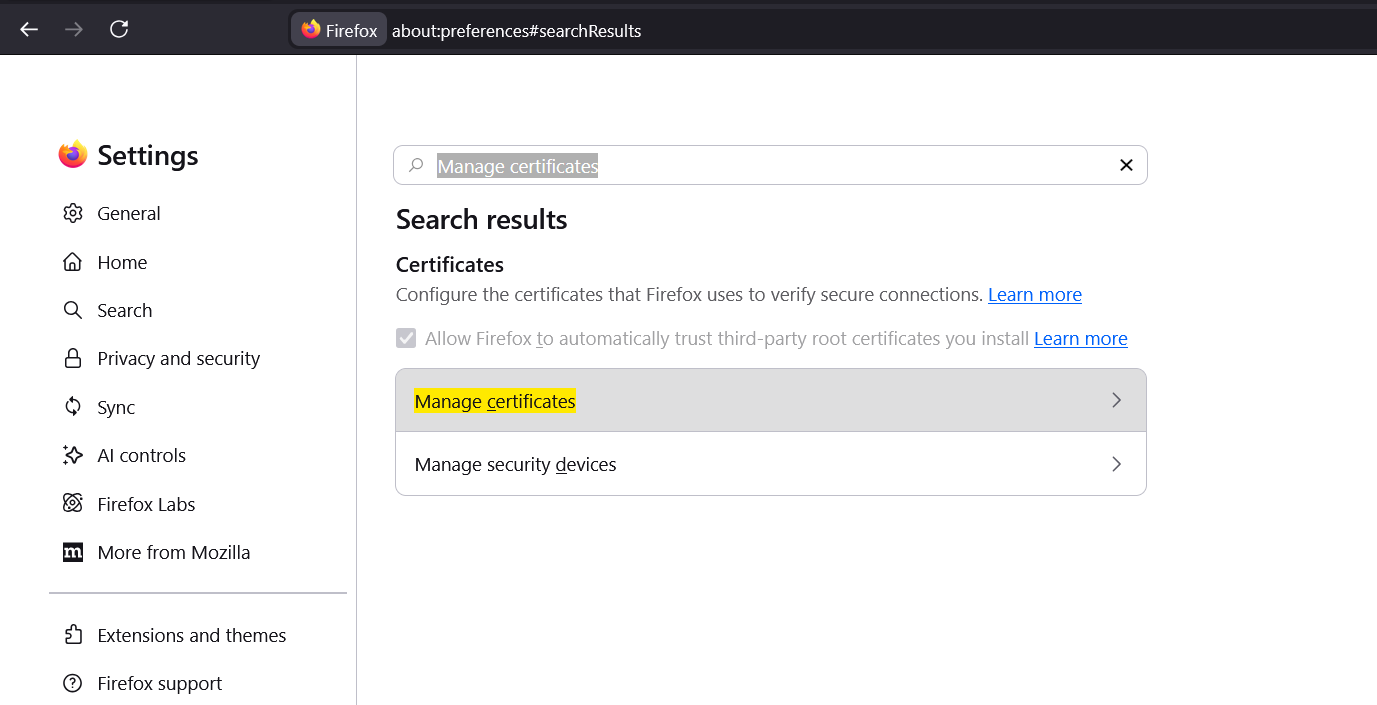
Go to Settings and search for Manage certificates
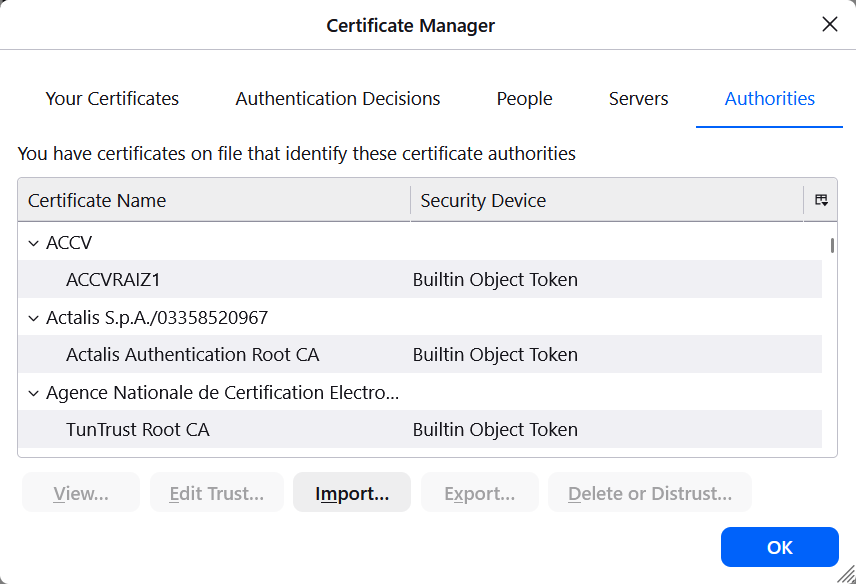
Browse and select Root 230RO.cer
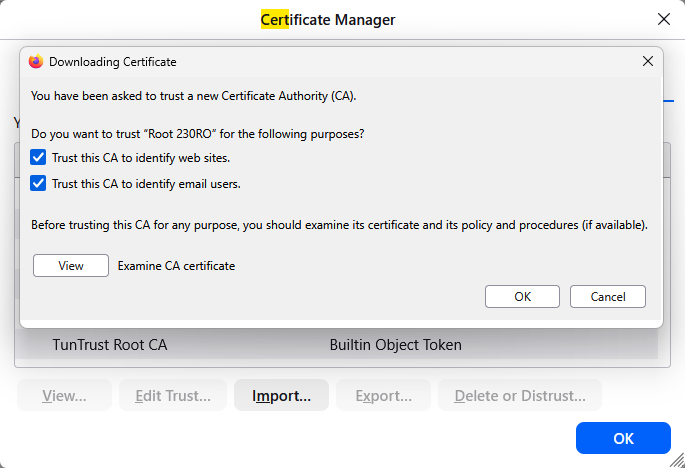
Trust this CA to identify web sites Trust this CA to identify email users
Linux
Debian
# curl -s https://www.230.ro/en/ssl/Root%20230RO.pem -o /usr/local/share/ca-certificates/Root\ 230RO.crt
# update-ca-certificates
Updating certificates in /etc/ssl/certs...
1 added, 0 removed; done.
Running hooks in /etc/ca-certificates/update.d...
done.
To force the ca-certificates rebuild use update-ca-certificates --fresh